The WWAN M.2 slot on the ThinkPad X280 will not accept M.2 2242 SSD (M-key).
- Date Created
- Date Modified
Conclusion
M.2 slot on the X280 is B-Key
Almost all the M.2 2242 SSDs are B-M Key SATA SSD
The M.2 2242 slot on the X280 does not recognize SATA SSDs
There is a solution
About X280
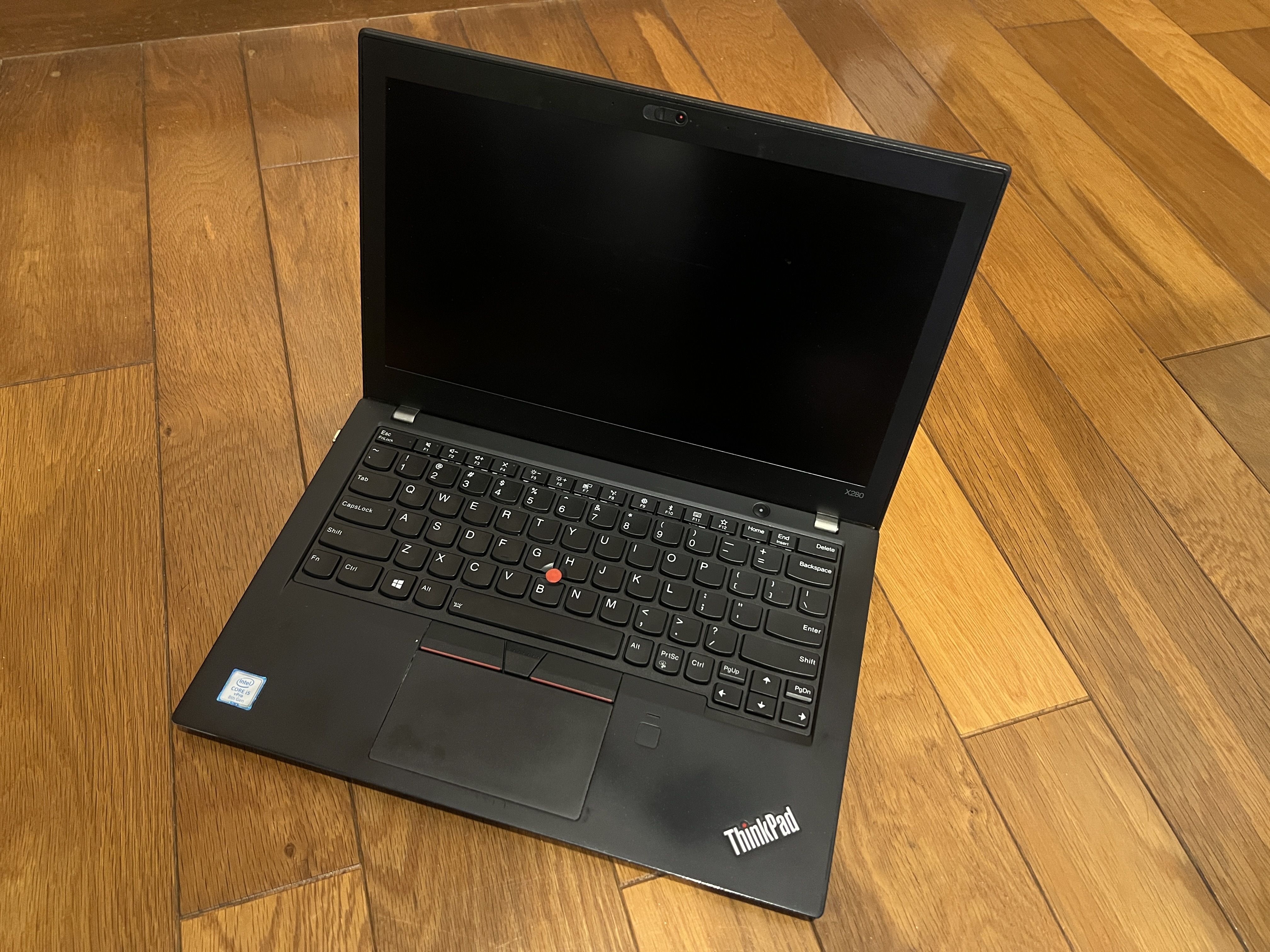
The ThinkPad X280 is a 12.5-inch business laptop released in 2018 that features an 8th-generation Core i series processor.
ThinkPad models vary in performance, including the high-performance T Series, the reasonable E Series, and the half-harted L Series, but the X Series is designed for portability.
The X280 is one of the most innovative models in the ThinkPad lineup; it was the first model with no RJ-45 jack and external battery module. They discontinued compatibility with charging adapters, and made the memory onboard and non-removable. Some says the most intense is the keyboard’s typing feel has deteriorated compared to the previous-generation X270.
However, since it belongs to a generation of CPUs that just barely meets official Windows 11 compatibility requirements 1, it remains a model with steady popularity.
Even though the memory can’t be replaced, swapping out the keyboard is easy even for a non-geeks, and replacing the storage, CMOS battery, battery, and display are tasks that any geek can handle. Furthermore, compared to its successors like the X390 and X1 Carbon Gen 6, it has the advantage of being more widely available and easier to find. Since it shares parts with NEC’s VersaPro UltraLite VP-6 2, you could even combine components from different models if you wanted to.
Personally, I like how light it is and how moderate the Lenovo logo is. It supports Thunderbolt 3 and works well with mobile monitors.
You might think “An 8-year-old business laptop at this point……?”, but considering it offers nearly the same performance as a laptop equipped with an N100 processor 3, it might not be such a bad choice after all.
WWAN module
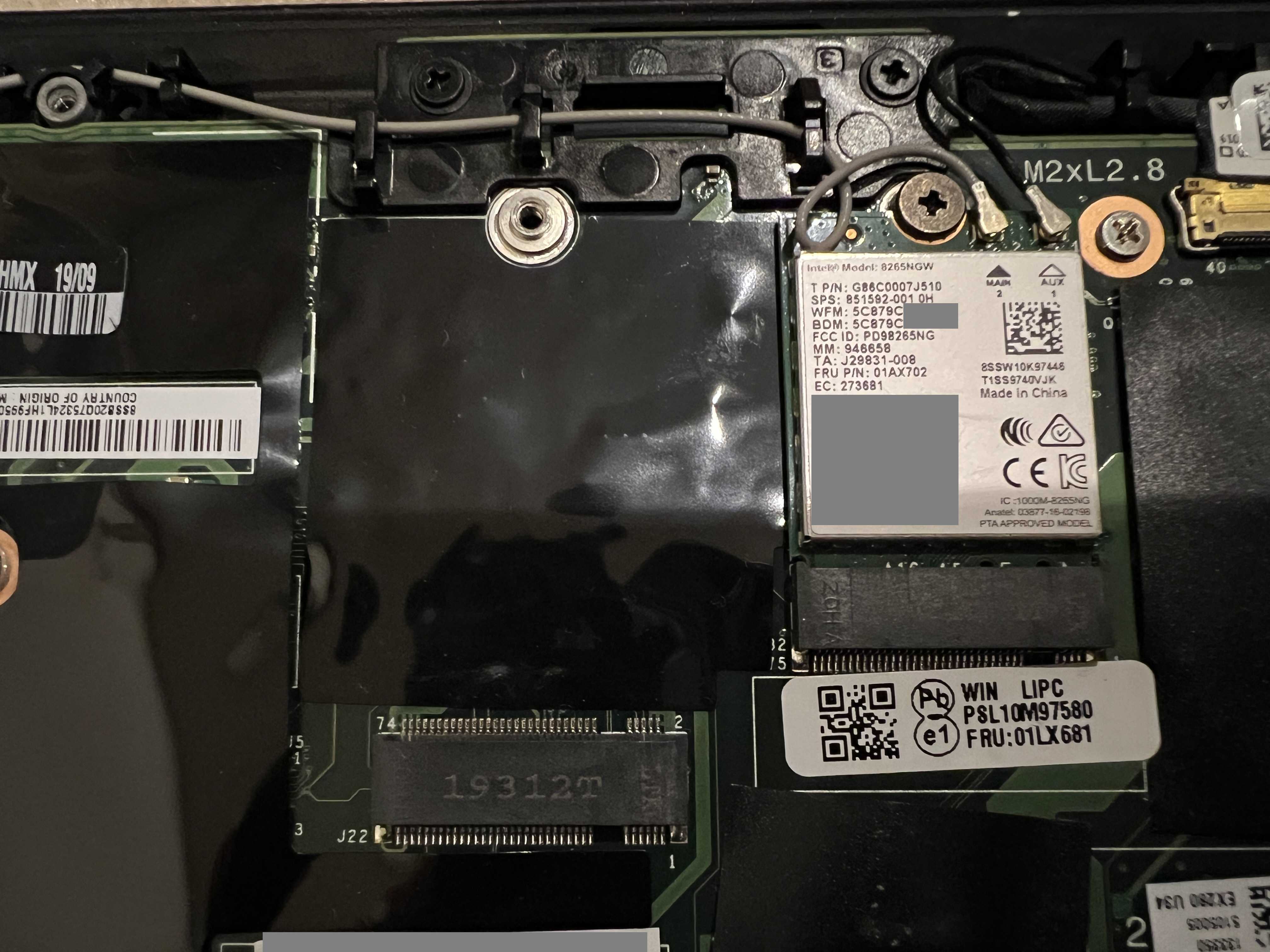
The X280 had been offering an optional LTE module and includes one M.2 2242 slot for it.
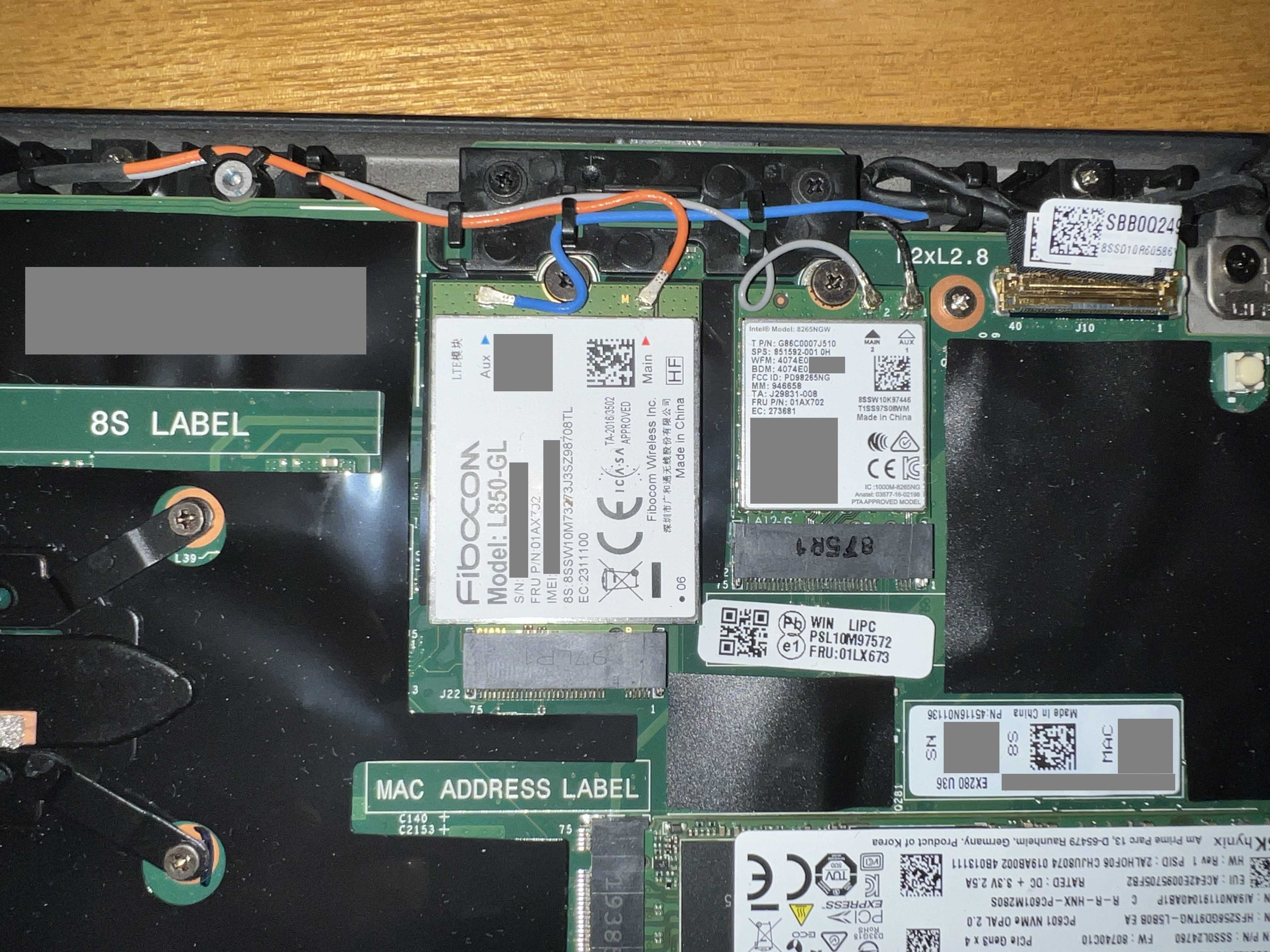
When buying secondhand, you might come across one that comes with an LTE module like this, but it’s a kind of rare. This is L850-GL manufactured by Fibocom.
By the way, it seems that UEFI runs a check to verify whether a product is compatible, so it’s designed so that the system won’t boot even if you just buy and install any random module 4.
If I could install an SSD here, wouldn’t that make a Windows/Linux dual-boot setup possible?
Information Suggesting That Single-Sided SSDs Will Fit
Online articles that pop up immediately in search results5 keep emphasizing that “single-sided M.2 2242 SSDs will fit.”
It’s a pain that when I search for 2242 SSDs on online retailers, I can hardly find any photos of the back side, but I went ahead and bought the “Transcend MTE400S” based on the product description and reviews.
So, let’s give it a try… Wait, there’s absolutely no way this is going to fit.
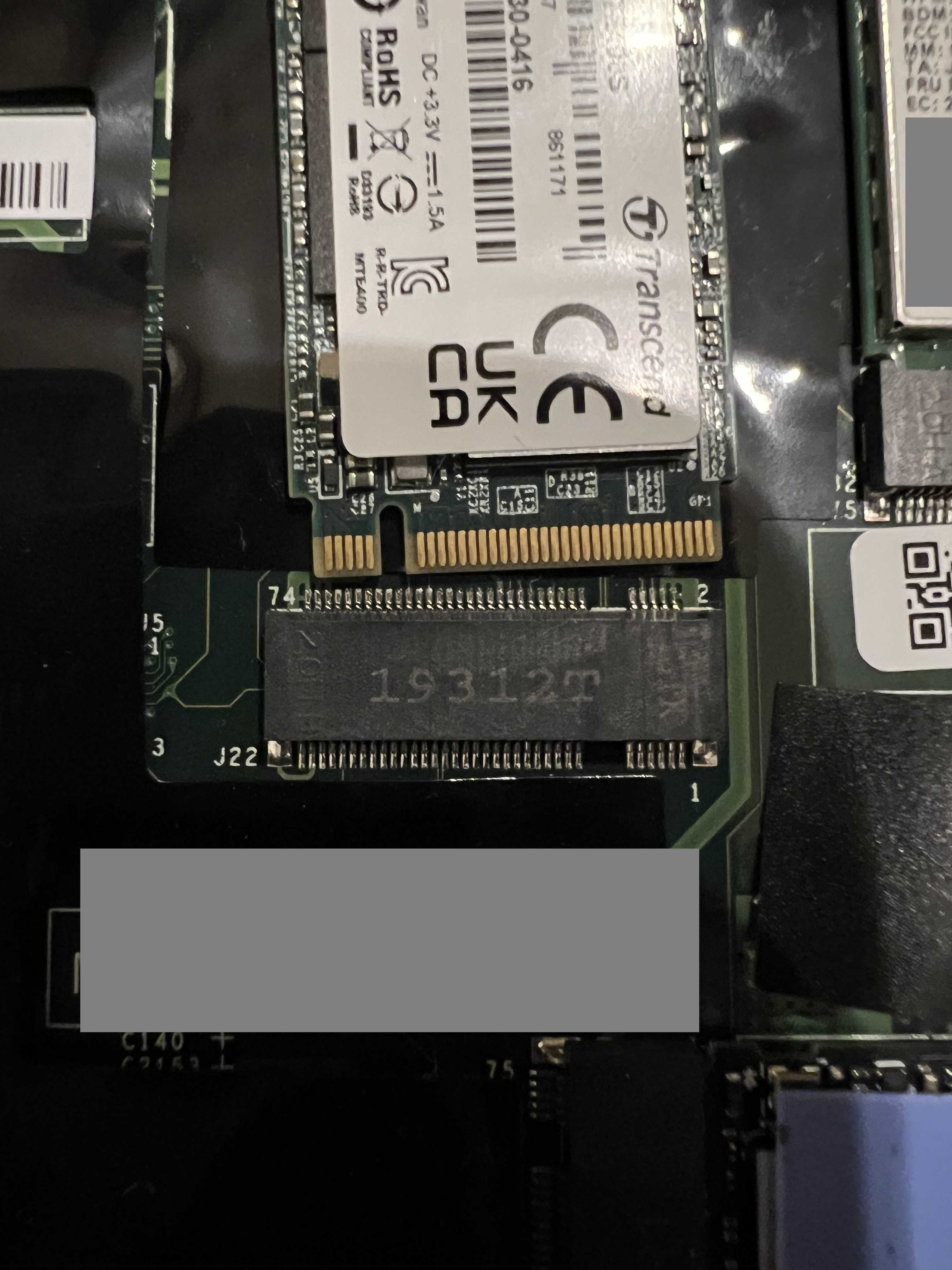
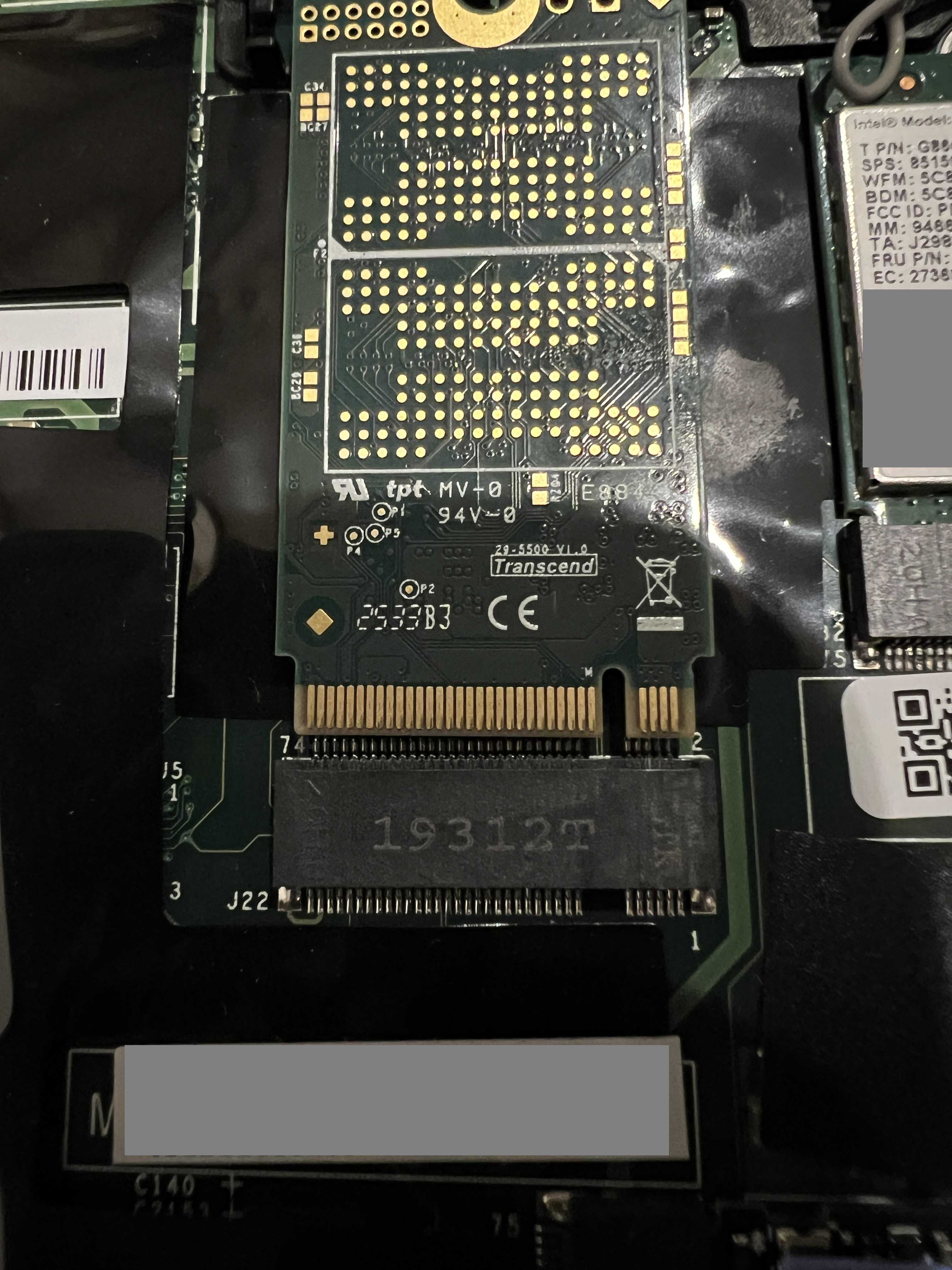
After doing some research, it seems that M.2-connected WWAN modules often use the B Key rather than the M Key, which is the standard connector shape for M.2 SSDs 6. Of course, since the keys are different (the notches are in different positions), it won’t fit even if you flip it over. I messed up!
As far as I can tell, all 2242 SSDs compatible with the B Key are B-M Key SATA drives, so this time I bought a SATA SSD (Transcend MTS420) and tried inserting it. But this time, the BIOS didn’t recognize the storage device.
I remembered that it had been able to select a SATA SSD as an option in the Lenovo official store, so I tried inserting it into the M.2 2282 slot, and it was recognized. It seems the M.2 2242 slot simply doesn’t support SATA connections.
Solution
I bought:
M.2 2232 SSD(M Key / PCIe3.0)
M.2 Key Conversion Adapter(M Key to B-M Key)
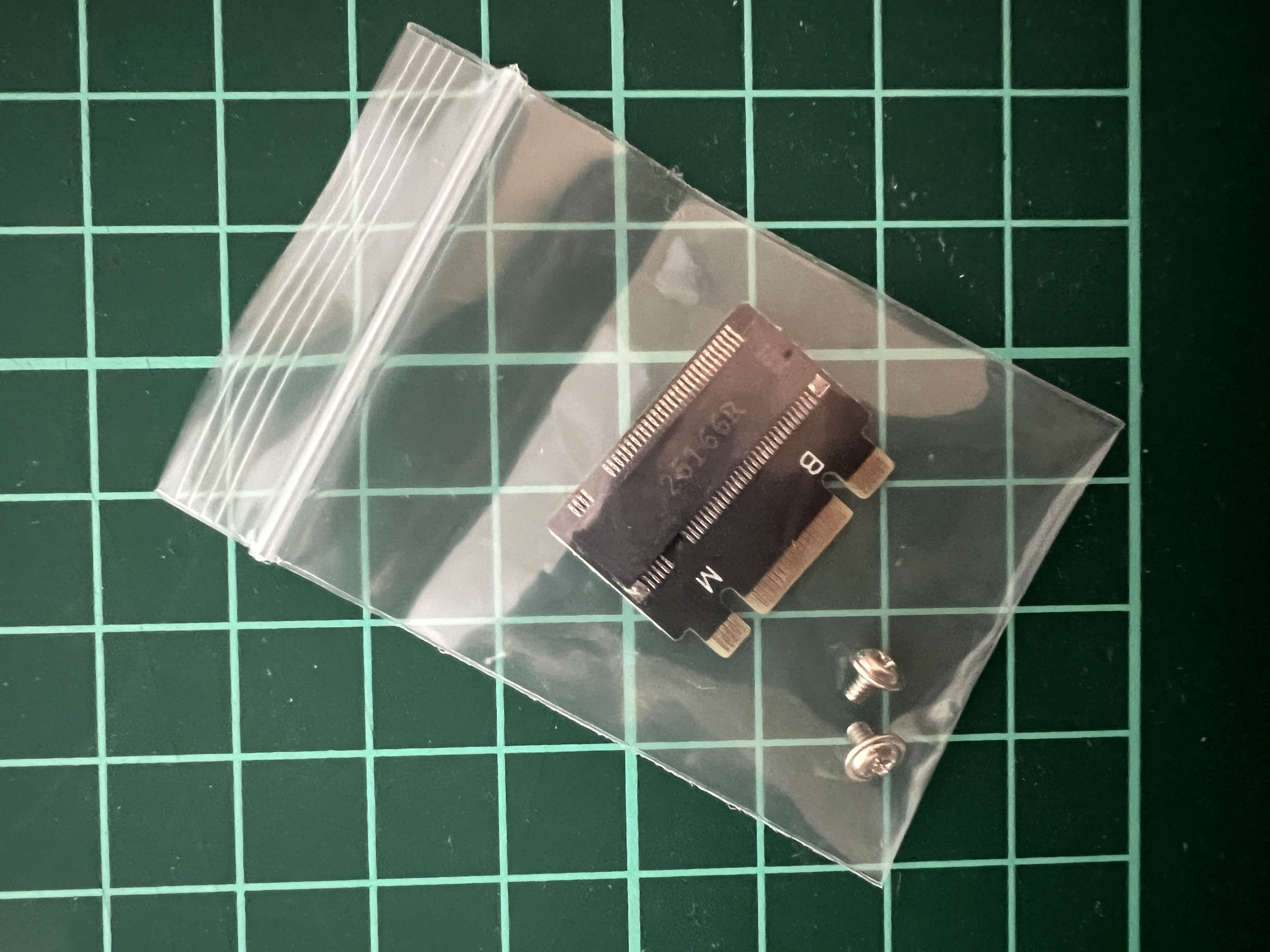
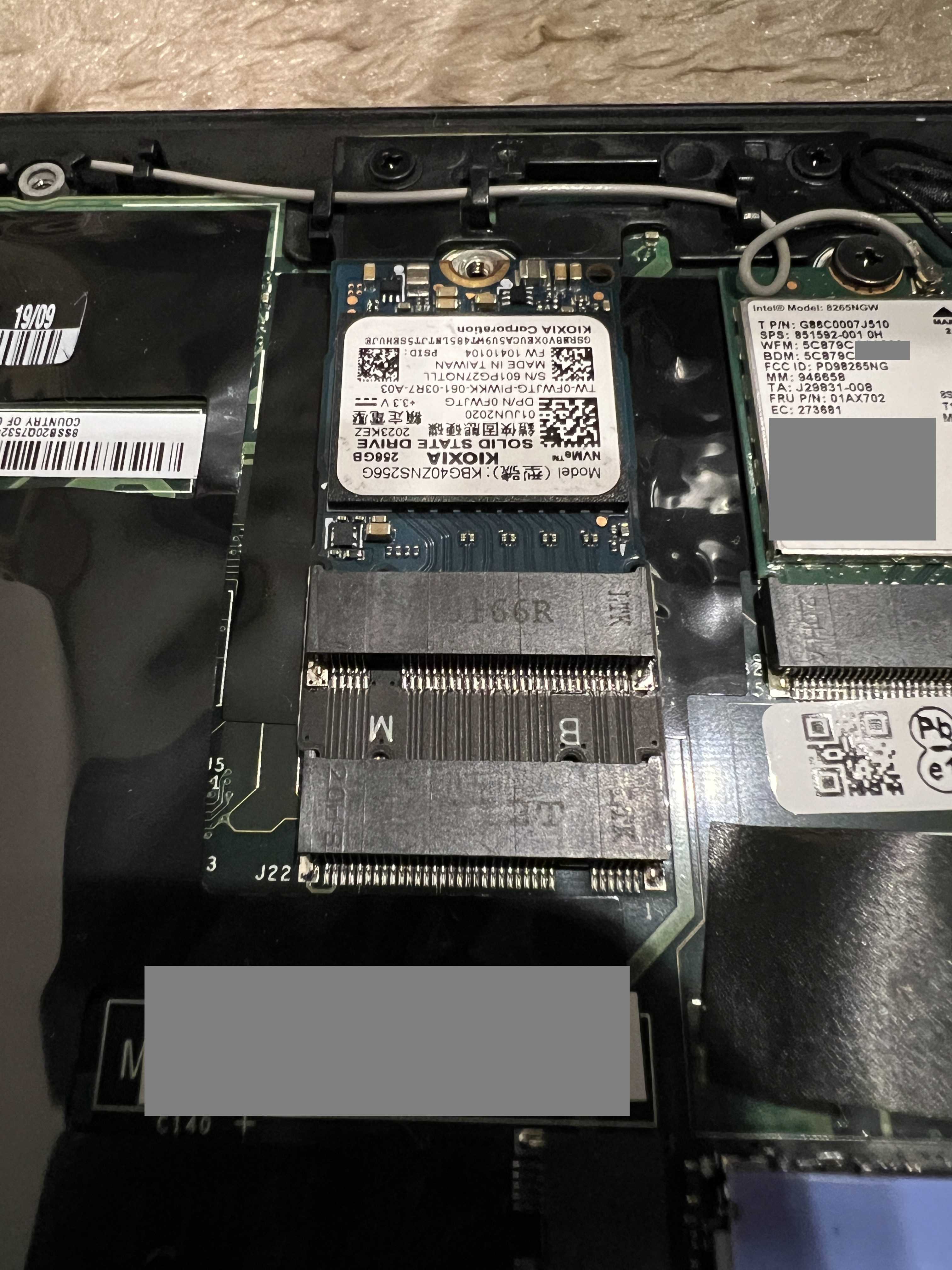
This chinese handy product is a real gem - when you insert a 2232 card, it transforms into a 2242 form factor and fits perfectly into the slot. Of course, there are no components on the back, and since it only protrudes about 1 mm beyond the original thickness, there are no height issues. It’s also great that M.2 2232 offers a far wider selection than M.2 2242 and tends to be more affordable.
This conversion cuts the number of PCIe lanes available to the SSD in half (from 4 to 2) but there’s nothing we can do about devices that aren’t compatible.
After that
I’ve been getting dual-boot system by pressing the F12 key during POST to select the boot drive.
Looking back now, I was actually lucky that I went through this kind of pointless trial and error back when storage was inexpensive, I think.
Today’s Lesson
The physical form factor of M.2 does not indicate support for any specific communication standard.
You must be cautious when making purchases in areas where you lack knowledge.
Since you can use Rufus to create installation media with the requirements check disabled, there’s no need to worry about it too much. I think most people just do it as a precaution.↩︎
Since this is a model designed for businesses and government agencies, I’m not saying it’s easy to get your hands on. Also, since the BIOS isn’t standardized, be careful when replacing the logic board. | スペック詳細 : ノートPC UltraLite タイプVB<VB-6> | ビジネスPC(法人向け) | NEC↩︎
X280を分解 WWAN(LTE)やM.2 2242 SSDは認識する?スピーカーが進化 | ThinkPad X240sを使い倒す シンクパッドのレビュー・カスタマイズ↩︎
Since this is a translated article, it refers to Japanese search results.↩︎
Differences Between M2 Cards M2 Slots Keys Sizes and Types | Dell US↩︎
License Information

The WWAN M.2 slot on the ThinkPad X280 will not accept M.2 2242 SSD (M-key). is licensed under a Creative Commons [Attribution 4.0 International] License.